
Wi-Fi 7 vs Wi-Fi 6: What’s the Difference and Is It Worth Upgrading?
Wi-Fi 7 brings wider channels, 4K-QAM, Multi-Link Operation, and other improvements over Wi-Fi 6. Here’s what actually changes and whether upgrading makes sense.
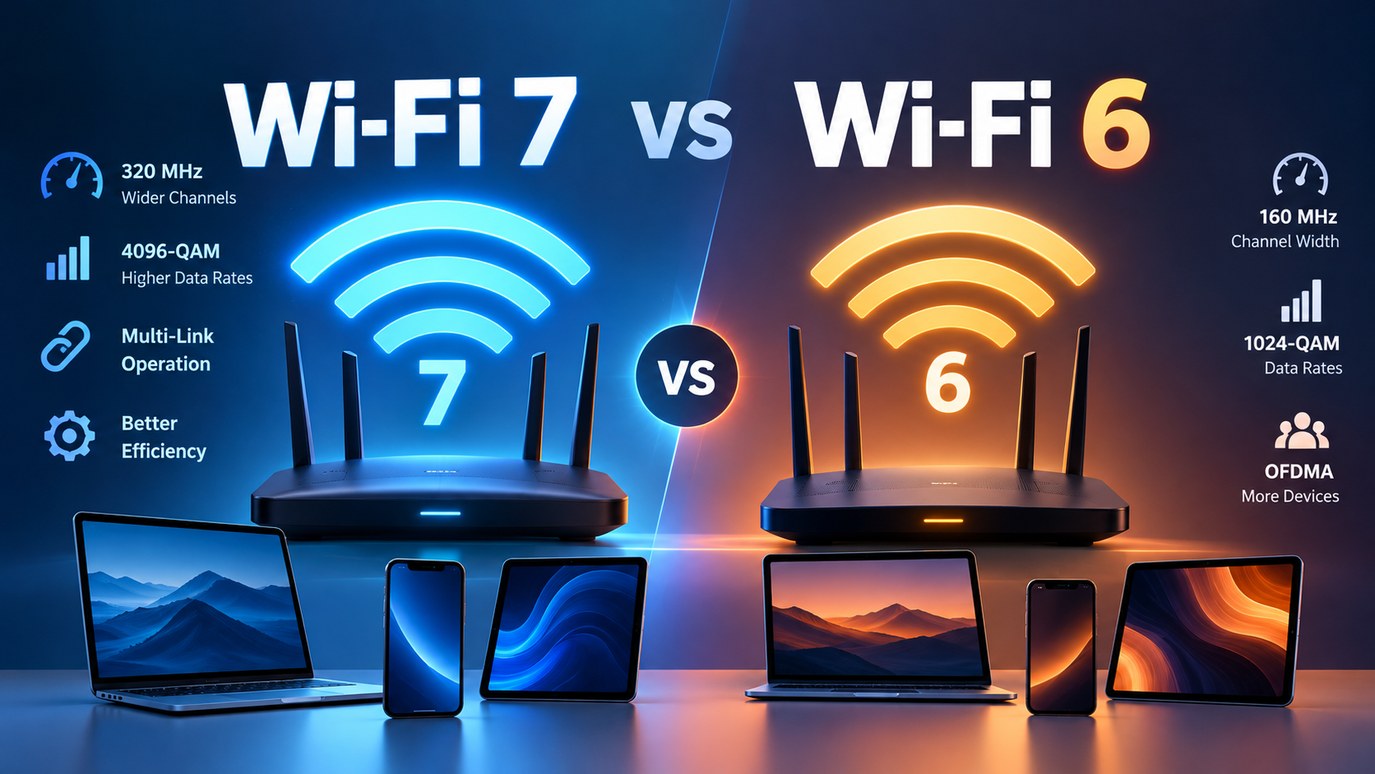
Wi-Fi 7 is the next major generation of Wi-Fi, building on Wi-Fi 6 and Wi-Fi 6E with wider channels, higher-order modulation, Multi-Link Operation, and other improvements designed to increase throughput and improve responsiveness.
But the existence of a newer Wi-Fi standard does not automatically mean you need a new router. The benefit depends on your devices, internet connection, wireless environment, and what you actually do on your network.
Here’s what changes between Wi-Fi 7 and Wi-Fi 6, what Wi-Fi 6E has to do with the comparison, and when upgrading makes sense.
What Is Wi-Fi 7?
Wi-Fi 7 is the consumer name associated with IEEE 802.11be, also known as Extremely High Throughput (EHT).
The standard builds on technologies introduced in earlier Wi-Fi generations while adding capabilities intended to increase throughput, improve efficiency, and reduce latency. IEEE 802.11be-2024 is now a published, active standard rather than a draft: the IEEE Standards Board approved it in September 2024 and it was published in July 2025.
Wi-Fi 7 can operate across the 2.4 GHz, 5 GHz, and 6 GHz bands, depending on the device and regional spectrum rules.
The biggest differences from Wi-Fi 6 are not simply about having a higher advertised speed. Wi-Fi 7 introduces several changes to how devices can use available wireless spectrum.
Wi-Fi 7 vs Wi-Fi 6 at a Glance
| Feature | Wi-Fi 6 | Wi-Fi 7 |
|---|---|---|
| IEEE standard | 802.11ax | 802.11be |
| Maximum channel width | 160 MHz | 320 MHz |
| Maximum modulation | 1024-QAM | 4096-QAM |
| Multi-Link Operation | No | Yes |
| 6 GHz | With Wi-Fi 6E | Supported |
| Main improvement | Efficiency and capacity | Higher throughput, efficiency and responsiveness |
These are the headline differences, but each one has practical limitations.
What Actually Changes With Wi-Fi 7?
320 MHz Channels
One of Wi-Fi 7's most significant changes is support for channels up to 320 MHz, compared with up to 160 MHz in Wi-Fi 6 and Wi-Fi 6E.
A wider channel provides more spectrum for carrying data. The Wi-Fi Alliance says 320 MHz channels in the 6 GHz band provide twice the throughput of Wi-Fi 6.
However, 320 MHz is not automatically available everywhere.
It depends on available spectrum, local regulations, the router, and the client device. The 6 GHz band is particularly important because it provides the spectrum needed for very wide channels in regions where that band is available for Wi-Fi.
A Wi-Fi 7 router therefore does not guarantee that every connected device will use a 320 MHz channel. Apple's published specifications for its Wi-Fi 7 iPhones, iPads, and Macs, for example, list a maximum channel width of 160 MHz.
4096-QAM
Wi-Fi 7 also raises the maximum modulation level from 1024-QAM in Wi-Fi 6 to 4096-QAM, also called 4K-QAM.
QAM encodes data in the signal, so a higher-order scheme can carry more data in the same amount of spectrum. The Wi-Fi Alliance puts the gain at 20% higher transmission rates than 1024-QAM, and Qualcomm describes it as boosting peak rates.
The important word is peak. 4096-QAM contributes to higher theoretical throughput, but it should not be interpreted as a guaranteed 20% increase in your internet speed.
Multi-Link Operation
Multi-Link Operation (MLO) is one of Wi-Fi 7's most important new capabilities.
Before Wi-Fi 7, a client device such as a phone was limited to operating on a single channel within one band, 2.4 GHz, 5 GHz, or 6 GHz, at a time. With MLO, a compatible Wi-Fi 7 client and access point can use multiple links across bands. The Wi-Fi Alliance says this can increase throughput, reduce latency, and improve reliability.
The specification defines two broad approaches: simultaneous MLO, which aggregates traffic across bands, and alternating MLO, which switches traffic between them. Products do not all deliver the more ambitious one. In its testing of 25 Wi-Fi 7 routers (updated February 2026), RTINGS found that none implemented the multi-radio features needed for true simultaneous MLO, and 22 advertised the alternating mode.
MLO is therefore not a guaranteed speed multiplier. The result depends on the router, client device, supported bands, channel conditions, and how the manufacturer implements it, and both sides of the connection need support.
Preamble Puncturing
Wi-Fi 7 also improves how wide channels cope with interference.
In earlier Wi-Fi generations, interference on a channel could keep transmissions from using the rest of the spectrum. With preamble puncturing, the affected portion can be excluded while the remaining portions stay usable. Qualcomm says this makes wider channels workable even when interference is present, such as interference from overlapping Wi-Fi networks.
Multiple Resource Units
Wi-Fi 6 introduced OFDMA, which shares a channel among multiple devices. Wi-Fi 7 adds the ability to assign multiple resource units (RUs) to a single device.
The Wi-Fi Alliance says this improves flexibility in scheduling spectrum resources and enhances spectrum efficiency.
How Much Faster Is Wi-Fi 7?
This is where Wi-Fi specifications can become misleading.
A wireless device can have a very high theoretical PHY rate, but that number is not the same as the speed of an internet connection.
Actual performance depends on factors such as:
- channel width
- number of spatial streams
- modulation
- signal strength
- interference
- distance from the access point
- client hardware
- router hardware
- MLO implementation
- network congestion
- wired connection between the router and the internet
- internet service speed
For example, current Intel Wi-Fi 7 client products include both 320 MHz/4096-QAM designs rated at up to 5.8 Gbps and other Wi-Fi 7 products limited to 160 MHz. That illustrates why the words "Wi-Fi 7" alone do not tell you the actual capability of a particular device.
A router may therefore advertise a very high maximum wireless rate while a particular phone or laptop connected to it operates at a substantially lower rate.
The practical question is not simply "How many gigabits does Wi-Fi 7 have?"
It is "Can my devices and network conditions actually use the capabilities I'm paying for?"
Does Wi-Fi 7 Require 6 GHz?
No. 6 GHz is optional for Wi-Fi 7. It matters mainly because 320 MHz channels need it, and access to it varies by region, router, and client device.
Wi-Fi 7 vs Wi-Fi 6E
Wi-Fi 6E is not a separate Wi-Fi generation. It extends Wi-Fi 6 technology into the 6 GHz band.
- Wi-Fi 6: 802.11ax, primarily 2.4 GHz and 5 GHz
- Wi-Fi 6E: 802.11ax extended to 6 GHz
- Wi-Fi 7: 802.11be, which adds the new features described above
A Wi-Fi 6E network can therefore already use the 6 GHz band, but it does not have the Wi-Fi 7 feature set. If you already own a good Wi-Fi 6E network, upgrading to Wi-Fi 7 deserves more consideration than upgrading from an older Wi-Fi 5 system.
Do You Need a Wi-Fi 7 Router?
For many households, no immediate upgrade is necessary. Wi-Fi 6 can still be more than sufficient for ordinary browsing, streaming, video calls, gaming, and everyday connected devices.
An upgrade makes more sense if you:
- have multi-gigabit internet
- frequently transfer large files over your local network
- use newer Wi-Fi 7 phones, laptops, or other clients
- have many demanding devices sharing the network
- are building a new network and want newer hardware for the coming years
On the other hand, keeping a good Wi-Fi 6 or Wi-Fi 6E router can make sense if your current network already meets your needs.
Is Wi-Fi 7 Worth Upgrading To?
Wi-Fi 7 is a meaningful technical improvement over Wi-Fi 6, but its biggest gains come only when the rest of the network can use them.
If most of your devices are Wi-Fi 6 or older and your existing network already delivers the performance you need, replacing a perfectly good router simply because Wi-Fi 7 is newer may not provide much practical benefit.
It is also important to look beyond the Wi-Fi generation printed on the box. Two products carrying the Wi-Fi 7 label can have different hardware capabilities, channel-width limits, and MLO implementations.
Frequently Asked Questions
Is Wi-Fi 7 faster than Wi-Fi 6?
On paper, yes: Wi-Fi 7 supports higher theoretical throughput. Real speeds depend on your router, device, signal, and network conditions.
Is Wi-Fi 7 worth upgrading to?
It can be if you have multi-gigabit internet, Wi-Fi 7 devices, or a new network to build. If Wi-Fi 6 already meets your needs, there is little reason to rush.
Does Wi-Fi 7 require 6 GHz?
No. 6 GHz is optional, but it is where 320 MHz channels are available.
Do I need a Wi-Fi 7 phone or laptop?
No. Wi-Fi 6 and older devices keep working, so you can upgrade the router first and the devices later.
Does Wi-Fi 7 work with Wi-Fi 6 devices?
Yes. Wi-Fi 7 is designed to be backward compatible, and an older device keeps using its own generation's capabilities.
What is MLO in Wi-Fi 7?
Multi-Link Operation lets a compatible Wi-Fi 7 device use multiple links across bands, which can improve throughput, latency, or reliability depending on the implementation.
Is 320 MHz Wi-Fi available everywhere?
No. It depends on regional regulations and on whether the router and client support it.
Does Wi-Fi 7 make my internet connection faster?
Not by itself. Wi-Fi 7 raises the capacity of the wireless link, but your internet speed is still limited by your broadband plan.
The Bottom Line
Wi-Fi 7 is a real improvement, but it only pays off when your devices and internet connection can use it. For a new or demanding network, it is a strong choice; if Wi-Fi 6 or Wi-Fi 6E already works well for you, there is no need to replace it.
Sources
- IEEE 802.11be-2024 – IEEE Standards Association — IEEE
- Wi-Fi CERTIFIED 7 — Wi-Fi Alliance
- Intel Wi-Fi 7 Series Products — Intel
- Intel Wi-Fi 6E (Gig+) Series Products — Intel
- Wi-Fi 7 — Qualcomm
- Wi-Fi and Ethernet specifications for Apple devices — Apple
- The Disappointing Truth About Wi-Fi 7: The Dream Of Multi-Link Operation Isn't Yet Here — RTINGS